From our Cybersecurity Awareness Month toolkit to diversified learning formats, a revamped Knowledge Base, and more.
View in browser
60235b21efae4e5cf5e0f811_PP_LOGO_RGB_Colour_Dark (1)
Newsletter Banner 600x250 (3)-2

Hi there,


It’s almost time for our next What’s New Webinar.


Join us on the 27th of August at 12:00 AEST and hear directly from the team at Phriendly Phishing. This session will cover our latest product and platform updates, new course content and learning formats designed with your teams in mind, and a preview of our upcoming cyber security awareness campaign.

If you’d like to attend, you can register here to save your spot.


Whether you’re curious about what’s coming or just want to stay in the loop, we hope to see you there.

CAM 2025 Email Signatures 600x200 (1)

Coming next week: Your Cyber Security Awareness Month Toolkit


We’re getting in early this year to help you prepare for October. In line with the global theme “Stay Safe Online,” our new toolkit is designed to engage and empower your teams with practical content on how to spot phishing scams, protect against AI-powered scams, reduce your digital footprint, and secure your world at home and work.


Keep an eye on your inbox — we'll be sharing it next week!

Settings Reminder: Monthly Campaigns
 
It's important to check that your monthly campaigns are configured to automatically enrol all current and future learners. The best way to do this is by scheduling your ongoing monthly campaigns the "All Learners" smart group that is available by default. If you have questions about this process, contact your Customer Success Manager or Support at support@phriendlyphishing.com.

Content Update: More Ways to Learn

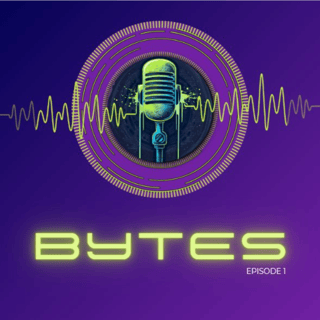
We’re introducing a new learning format – the Bytes Podcast. The episodes are perfect for boosting your security awareness culture, especially when paired with scheduled learning paths to complement and reinforce key topics.

Spotlight New Courses

Bytes Podcast Episode 1

Bytes Podcast: Social Proof in the Age of AI: 

Some scams don’t try to hack computers. They focus on hacking humans instead. Social proof is a psychological and social phenomenon wherein people copy the actions of others in choosing how to behave in a given situation. Scammers use social engineering techniques to influence the behaviour and decision-making of individuals to benefit them.

CyberGov Privileged User Access

CyberGov: Privileged User Account Security

This course is designed for government staff, contractors and suppliers who use privileged user accounts and are subject to the requirements of the Australian Government ISM, the Australian Privacy Act, the PSPF, and the Cyber Security Act. You’ll learn what privileged access means, why it matters, and the practices you can use to keep information and devices secure.

For our guide on previewing a course, click here, or you can view our course catalogue by clicking here. 

Latest Platform Updates: Phish Reporter & New Email Domains

Phish Reporter Now in Classic Outlook:

We’ve expanded our Ribbon Phish Reporter to support the Classic version of Outlook. This version replaces the Microsoft report button in the ribbon of outlook—making it faster and more visible when reporting suspicious emails. This change means you can roll it out seamlessly in environments where both new and classic Outlook versions are in use.


Course Policies – Integrated & Tracked:

Our new Course Policies feature lets you upload your own internal policies into the platform, requiring learners to review and accept them to complete a course. By attaching policies directly to relevant training modules, learners receive the necessary context and supporting information—rather than viewing policies in isolation—ensuring clarity, informed understanding, and tracked acknowledgment of acceptance.


Action Required – Whitelist New Email Domains:

We’ve extended the deadline to whitelist our new email domains to 1 Nov 2025. These domains will be used for simulations, training, and support emails.
Why it matters: Without this step, learners may miss critical training or simulation emails, and your platform experience could be disrupted. Please confirm with our Support team that your whitelist is complete. If you’ve already done so—no further action is needed.


Our Knowledge Base Just Got a Makeover
We’ve streamlined the look and feel to make it easier to navigate and quicker to find what you need. From onboarding and communication collateral to webinars and account settings — everything’s now grouped into clear, user-friendly sections. You’ll also find guides on using the dashboard, Learner Hub, and Phish Focus, our automated solution that detects and remediates phishing threats in minutes. Browse the updated Knowledge Base


If you have any questions please contact support@phriendlyphishing.com.

Your feedback is important to us!

We’re always looking for ways to improve your experience, and your insights help us do just that. This quick survey will only take a few minutes, and your input will make a real difference. Thank you for sharing your thoughts.

PH2- Email Template Footer 600x100px

Online Knowledge Base | Email Support | Follow us on LinkedIn

Phriendly Phishing HQ, Level 4, 287 Lonsdale Street, Melbourne, VIC 3000, Australia, 1300 407 682

Unsubscribe Manage preferences